

|
|
Support
microKORG Sound Editor V1.0.2MAC:Software:microKORGMac1_0_2.dmg microKORG Sound Editor V1.0.2 This is version 1.0.2. of microKORG Sound Editor. This software is Intel-Mac and OS 10.7 (Lion) compatible. This software requires that your Mac be running 10.6.8 or newer. For earlier Mac operating systems, please use microKORG Sound Editor 1.01.
KORG TemplatesPC:Software:KORG.ZIP MAC:Software:KORG.hqx KORG Templates This download contains Template Scene Data that can instantly configure the KONTROL49 to provide real-time control of the Korg Legacy Collection (KLC-1); the MS2000 (all flavors: 2000, R, B, BR) the microKORG; and the EA-1 and ER-1 Electribes.
The KONTROL49 can even control an EA-1 and an ER-1 at the same time - knobs and sliders to the EA-1, Pads to the ER-1, etc.
This data can be loaded into your KONTROL49 using the Editor / Librarian program on the CD-ROM included with your KONTROL49. A separate Scene Set file is included to load all the KORG scenes at once.
Also included are .pdf documents showing the controller and port assignments, so you can print a hard copy for reference.
In addition, you'll find "Read Me" files in this download. Feel free to go ahead and read these documents to enjoy this download to its fullest.
Please note: This data is the same as that provided on the CD-ROM included with your KONTROL49 MS2000, MS2000B & microKORG presets for RADIASPC/MAC:Software:Radias_ConvertProgram.zip MS2000, MS2000B & microKORG presets for RADIAS
This download contains the factory preload data from the MS2000, MS2000B & microKORG synths converted for use in the RADIAS. Based on the conversion software developed by Darren Richards, they were then tweaked by the sound designer who worked on the initial voicing of these three classic synthesizers, to more accurately resemble the original sounds. These can be installed using the RADIAS Sound Editor. Enjoy! microKORG - Sound Editor Software OSX MAC:Software:microKORGMac1_0_1.dmg Sound Editor Software for OSX
Here is a great piece of software for organizing and editing the sounds in your microKORG Synthesizer/Vocoder. It’s a free download, so enjoy! Using the microKORG Sound Editor, you will be able see all of the parameters and their values on the computer screen, so editing is quick and easy! The envelope parameters are displayed graphically, and you can edit them by clicking and dragging. In addition to editing and creating new sounds, this software allows you to create libraries of individual patches, full loads of custom sounds, and even global settings. The microKORG Sound Editor allows you to name each patch, even though the microKORG itself does not display these names. In fact, we've even included a duplicate of the factory preload data, including the patch names, to get you started. There are three downloads available: • microKORGEditorPC.exe is for PC users running Windows 98 ME/SE/2000/XP/Vista. • microKORGEditorMAC.hqx is for MAC users (OS9). • microKORGMac1_0_1.dmg is for MAC users (OS X/Rosetta). The instructions are included in .pdf format with each download. The PC version will ask if you would like the English or Japanese manual (It defaults to English). The Mac OS 9 Version will Download both Manuals (English and Japanese). Obviously, if you don't need the Japanese version, you can just chuck it, or you can do a custom install and choose to NOT install the Japanese Manual. Mac users can enjoy the "Randomize" feature, allowing the program to create new patches all on its own (with unpredictable results)! Note: Korg does not assure operations on every model Macintosh computer. Regarding newer Intel Macs, operation was confirmed under Rosetta but this version does not run as native Universal Binary. microKORG - Sound Editor Software PC:Software:microKORGEditorPC.zip MAC:Software:microKORGEditorMAC.hqx Sound Editor Software
Here is a great piece of software for organizing and editing the sounds in your microKORG Synthesizer/Vocoder. It’s a free download, so enjoy! Using the microKORG Sound Editor, you will be able see all of the parameters and their values on the computer screen, so editing is quick and easy! The envelope parameters are displayed graphically, and you can edit them by clicking and dragging. In addition to editing and creating new sounds, this software allows you to create libraries of individual patches, full loads of custom sounds, and even global settings. The microKORG Sound Editor allows you to name each patch, even though the microKORG itself does not display these names. In fact, we've even included a duplicate of the factory preload data, including the patch names, to get you started. There are three downloads available: • microKORGEditorPC.exe is for PC users running Windows 98 ME/SE/2000/XP/Vista. • microKORGEditorMAC.hqx is for MAC users (OS9). • microKORGMac1_0_1.dmg is for MAC users (OS X/Rosetta). The instructions are included in .pdf format with each download. The PC version will ask if you would like the English or Japanese manual (It defaults to English). The Mac OS 9 Version will Download both Manuals (English and Japanese). Obviously, if you don't need the Japanese version, you can just chuck it, or you can do a custom install and choose to NOT install the Japanese Manual. Mac users can enjoy the "Randomize" feature, allowing the program to create new patches all on its own (with unpredictable results)! Note: Korg does not assure operations on every model Macintosh computer. Regarding newer Intel Macs, operation was confirmed under Rosetta but this version does not run as native Universal Binary. microKORG - MIDI Implementationall:MK1.pdf MIDI Implementation
MIDI Implementation for microKORG in PDF format. microKORG - Owners Manualall:microKORG_Manual.pdf Owner's Manual This is the original Owners Manual for the microKORG Synthesizer/Vocoder in .pdf form microKORG - Manual de Usario (Spanish)all:microKORG_e.pdf Manual de Usario (Spanish)
This is the Original microKORG Owner's Manual, translated into Spanish microKORG - Easy Start Guideall:microKORGEZStart.pdf Easy Start Guide A quick step-by-step tutorial that provides a basic overview and highlights key features of the microKORG. While not a replacement for the Owner's Manual, this is a friendly "hands on" guide that provides a good place to start in getting familiar with this analog modeling syntheiser and vocoder.
Synthesizer / Vocoder
The votes are in and the winners have been selected! Check out the top entries for Korg’s microMADNESS video contest!
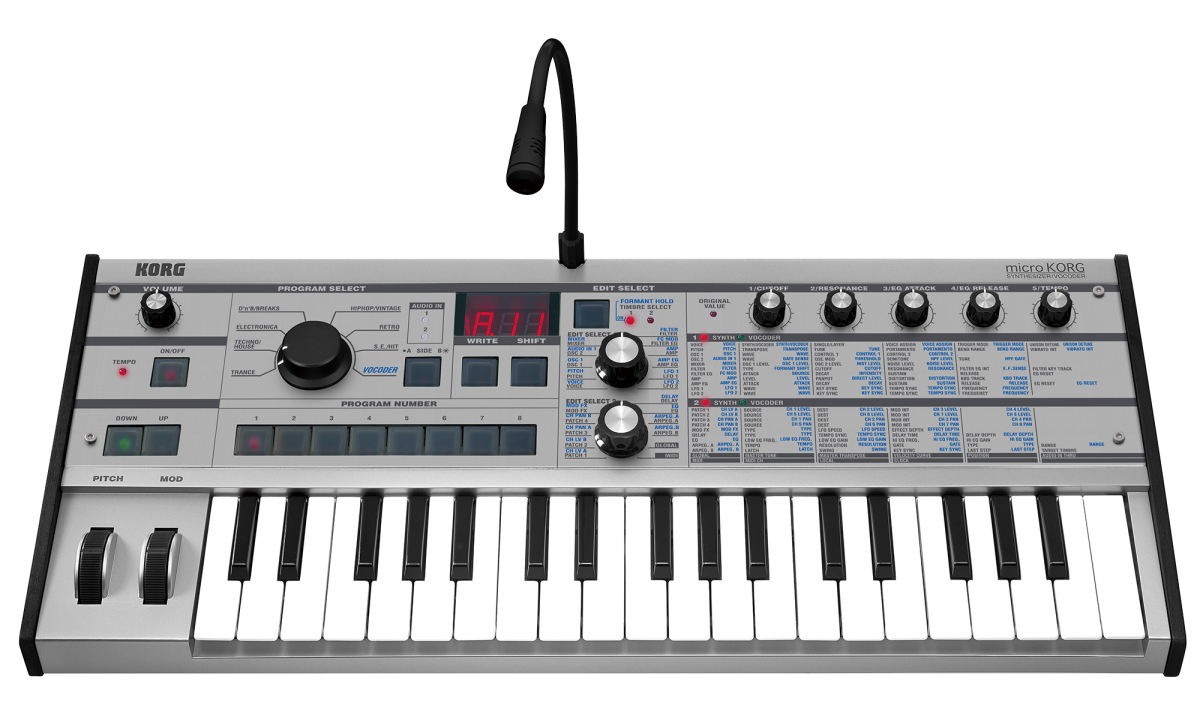
MICRO MAKEOVERS! MicroKorg is getting all decked out in limited edition colors for the 10th Anniversary of Micro. Get your hands on an eye-catching black/red or all-black model before they’re all gone. Available through select retailers late November.
Meet the Synthesizer that Changed Everything!In the summer of 2002, Korg unleashed the compact and portable microKORG Synthesizer / Vocoder. More than just another synthesizer, the microKORG virtual analog synthesizer opened a new avenue for music-making. Combining mini-keys, battery power, a simple-to-use interface, and phenomenal sound, all at an attractive price, microKORG made the synthesizer available to every musician. Bass players, singers, guitarists, producers, DJs, horn players, all flocked to add the professional sounds of the microKORG synthesizer to their instrument arsenal.
One of the top-selling synthesizers in the world every year since its release, microKORG remains the champion of Korg’s successful microSERIES: the microKORG XL, microSAMPLER, microPIANO, microSTATION, and microARRANGER.
microKORG Highlights:
- 37 mini-keys with velocity sensing
- 4-Voice Analog Modeling synth engine
- 128 completely editable presets
- 5 Assignable, tweak-able, realtime edit knobs
- 8-Band Vocoder with gooseneck mic
- Unique Formant Hold and Formant Shift Vocoder features
- Interactive arpeggiator with selectable steps
- External audio processing
- 3 Effects: Chorus/Flanger, Phaser, and Ensemble
- 3 Delay Modes plus a 2-Band EQ
- High-visibility LED display and indicators
- Illuminated buttons
- Retro-styling with solid wood endblocks
- Pitch Bend & Modulation wheels
- Battery-powered portability
With the microKORG analog modeling synthesizer, hardware matters. The built-in vocoder and selectable-step arpeggiator add a new dimension to performing and recording without the need to master new technologies. External sounds can be processed by the microKORG’s filter and more. With dedicated knobs and an index to the sound-editing parameters available on the front panel, microKORG allows each player to go as deep into the sound engine as desired. But for many musicians, just choosing the sounds from the convenient categories provides instant satisfaction.
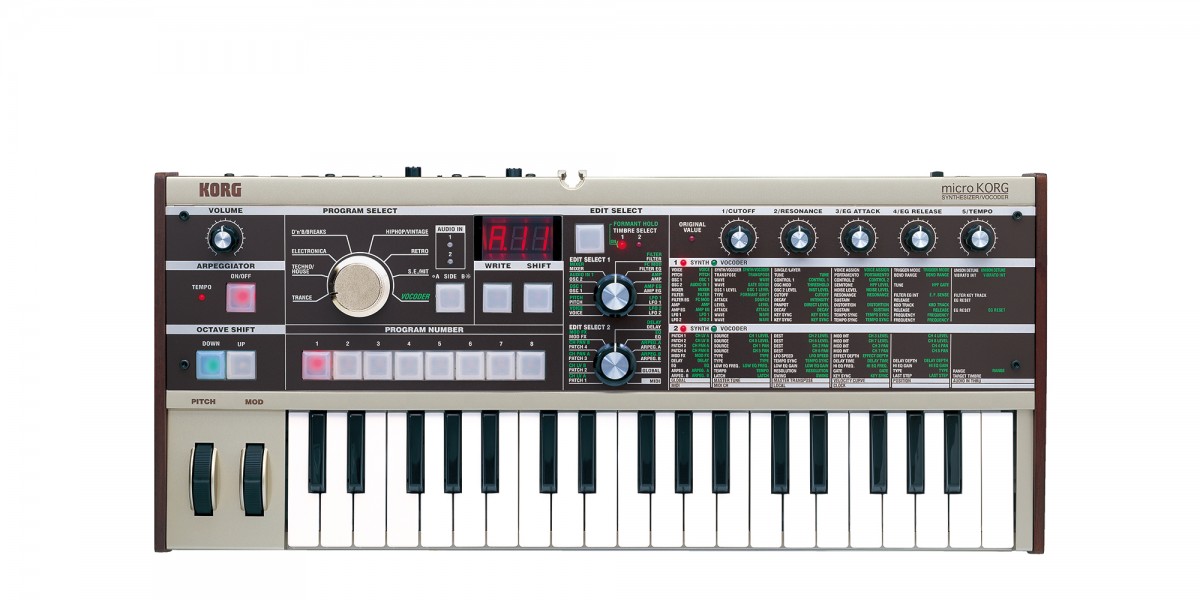
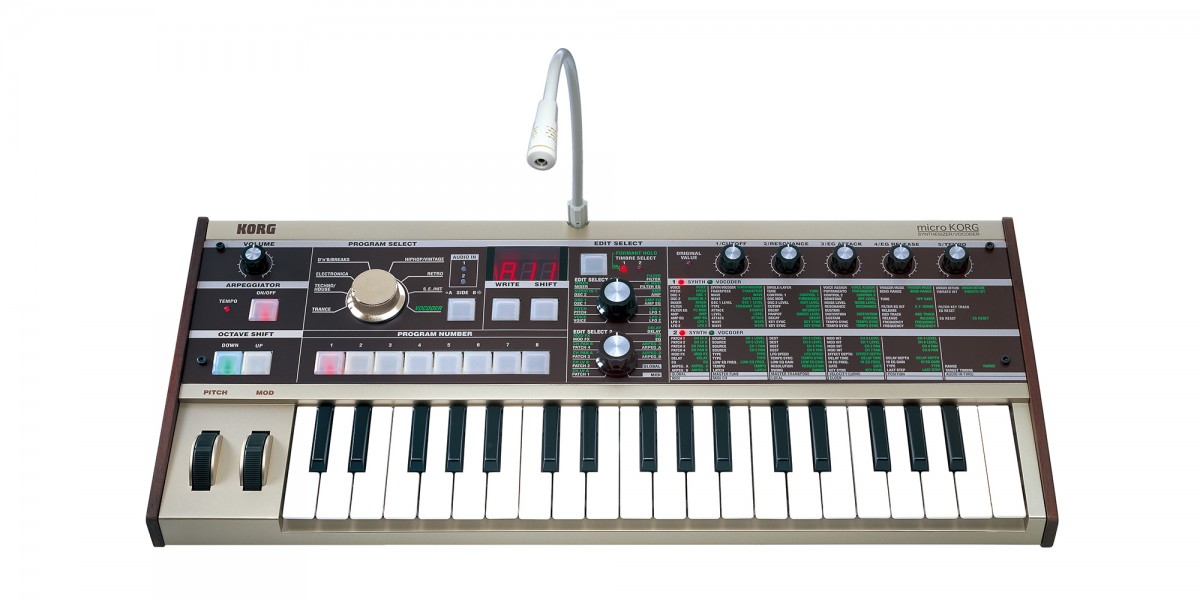
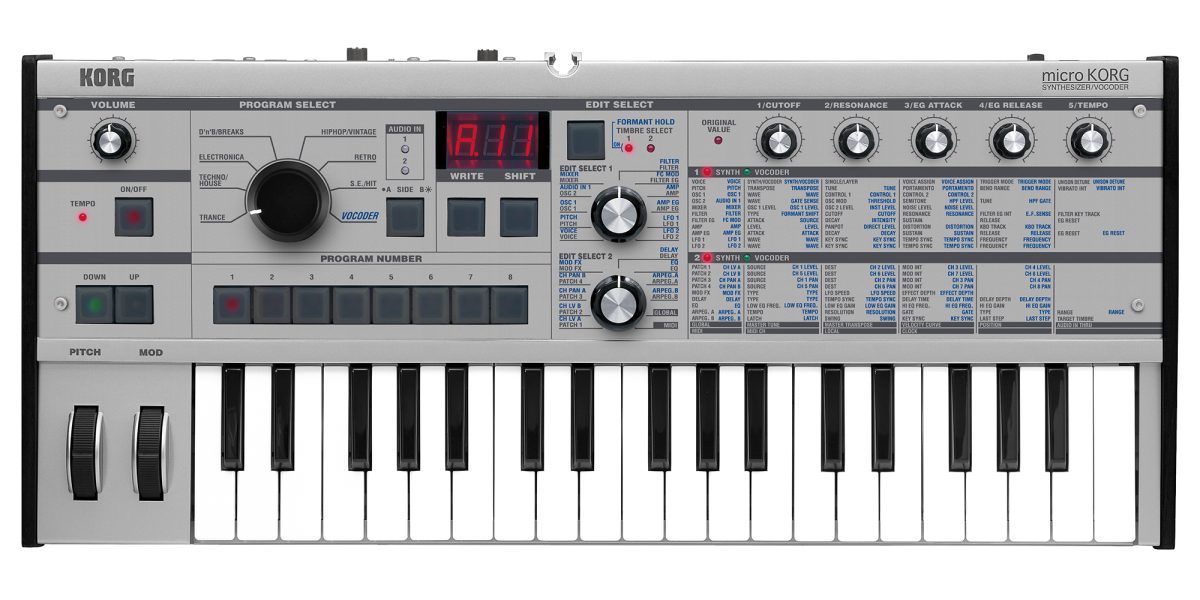
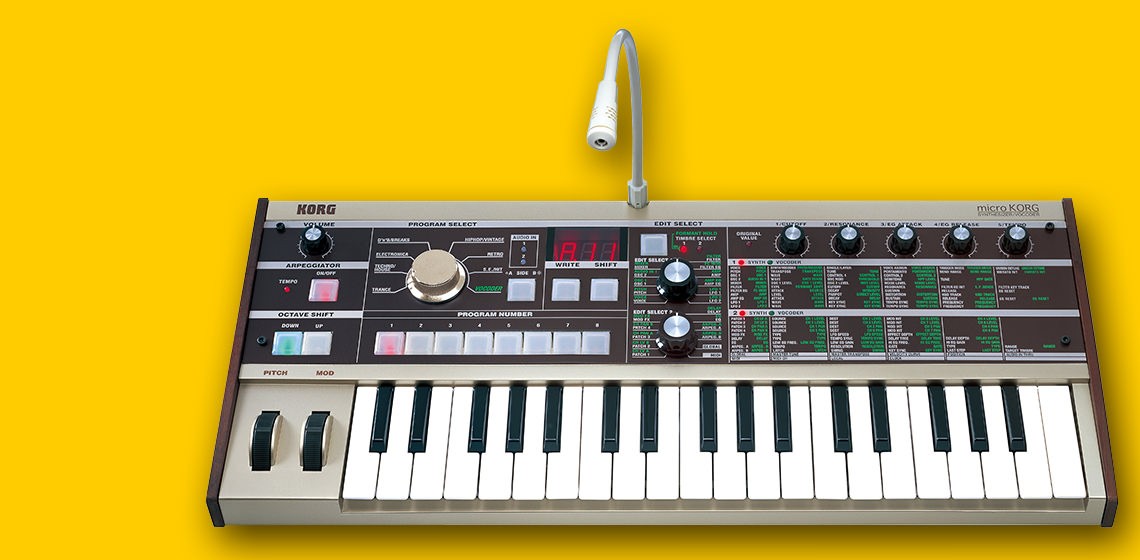
Classic looks, clear control With its beige-gold body, wooden side panels and retro-influenced design, the microKORG analog modeling synthesizer has a look that's both vintage and funky. A large dial and LED illuminated buttons provide easy program selection even on a dark stage. There's no complex menu structure - all parameters are listed and accessible from the panel for easy access to any function.
Great sounds and expression Korg has used all of the microKORG’s synthesizer and vocoder power in the creation of 128 great-sounding presets. They cover a wide range of the latest musical styles plus many vintage favorites. Sixteen vocoder Programs are also included. The Pitch Bend wheel, Modulation wheel and five other knobs provide flexible realtime control over filter cutoff, attack, release and other important parameters. The Edit Mode allows players to fully edit the existing sounds, or to create new ones all their own.
Powerful synthesis The microKORG synthesizer uses an advanced dual-oscillator analog modeling sound engine. Oscillator 1 features a total of 71 waveforms including traditional analog waves like saw, pulse, sine and noise, plus more unique choices like Vox wave and cross wave. Together they provide a cool selection that can be modulated to produce an extensive range of timbres. In addition, 64 exclusive DWGS waveforms from Korg's classic DW-8000 enable the microKORG to reproduce a broad collection of imitative sounds. Sounds like bells, electric pianos, guitars, basses and more that would be difficult reproduce on an analog synthesizer can easily be produced with a synthesizer vocoder such as the microKORG. Ring and Sync modulation from Oscillator 2 can be applied to create the kind of complex timbres that are the true sign of an advanced synthesizer.
Four filter modes are available, offering -12 dB (2-pole) low pass, high pass and band pass configurations plus an extra steep -24 dB (4-pole) low pass setting. All modes and settings include resonance. Two classic ADSR envelope generators and two MIDI-syncable LFOs provide robust sound-shaping power. Add a Virtual Patch matrix to create advanced modulation settings - routing the Mod Wheel to control filter cutoff or pulse width, using an LFO to control panning or amp level, etc. - and you have performance that is unheard of from a synthesizer vocoder in this price range!
Classic vocoding The microKORG includes an 8-band synthesizer vocoder with many advanced features. You can capture and "freeze" the formants of your voice, and then play it across the keyboard, or shift the formant frequency to make your voice sound male, female, like a child or just plain wacky! Best of all, the microKORG comes with its own microphone so you can start having fun right away.
A full range of effects Three types of modulation effects (chorus/flanger, phaser, ensemble), three types of delay effects (stereo, cross, L/R), and a two-band equalizer add the finishing touches to sound of the microKORG synthesizer / vocoder. The delays can be synchronized with the arpeggiator or to an external MIDI clock - a great feature for live performances or for laying down tracks. All effects can be edited to create your own, unique sounds.
Flexible arpeggiator Six types of arpeggio patterns (UP, DOWN, ALT1/2, Random, Trigger) are built in, with control over tempo, gate time, swing, and up to a 4-octave range. Using buttons on the microKORG’s front panel, individual steps can be turned on or off within a pattern, providing the feel and functionality of a step sequencer.
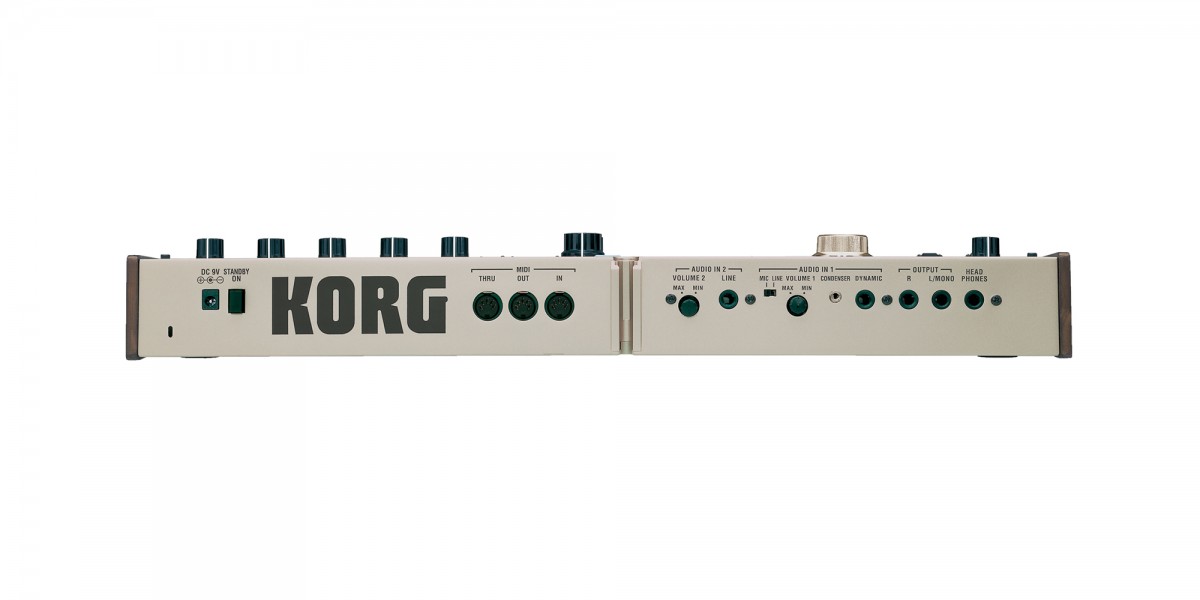
Audio in - Creativity out Two external audio input jacks are provided, so you can run other instruments, CDs and more through the microKORG's filter and effects, allowing you to process sounds in truly creative ways.
A compact MIDI controller The compact size of the microKORG synthesizer vocoder is perfect for the musician or DJ looking to add a synth to his or her setup when space is tight and it is a great choice for use in a computer-based music setup. The five realtime knobs on the front panel can transmit MIDI messages (control changes), so they can be used as controllers for software synthesizers. Use the 37-note velocity-sensitive mini-keyboard for controlling other gear or for recording and editing with your sequencer. And thanks to battery-power, the microKORG synthesizer vocoder is the ultimate portable controller when used with a laptop computer!
Specifications Sound Generation Method: Analog Modeling Synthesis System
Synthesizer Program: Multi Timbral: 2 (max, Normal/Dual Mode)
Voices: 4 voices
Sound Source: 2 Oscillator + Noise Generator Multi Mode Filter (-24dB/oct LPF, -12dB/oct LPF/BPF/HPF) EG x2, LFO x2, Virtual Patch x4
Vocoder Program: Voices: 4 voices
Sound Source: 1 Oscillator + Noise Generator EG x1 LFO x2 8 Channels vocoder Level and pan of each channel can be edited Formant Shift function
General Specifications: Programs: 128 programs
Effects: Modulation effects (3 types) Delay (3 types) Equalizer
Arpeggiator: 6 types
Keyboard: 37 Keys (mini-keyboard, velocity sensitive)
Inputs: AUDIO IN 1, and 2
Level switch: LINE/MIC [AUDIO IN 1, 2 (LINE)] [AUDIO IN 2 (MIC)]
Outputs: L/MONO, R and Headphones
MIDI: IN, OUT and THRU
Display: 3 characters x1 line with 8 segment LED
Power Supply: DC 9 V (AC adapter), or six AA alkaline batteries (sold separately)
Power Consumption: 6.4 Watt maximum
Dimensions: 20.63"(W) x 9.13"(D) x 2.76"(H) 524mm(W) x 232mm(D) x 70mm(H)
Weight: 4.85 lbs. 2.2 kg
Accessories: AC adapter (DC 9 V, 600 mA) Condenser Microphone
|