

|
|
Support
8-8-2011 - Owner's Manual for Kaoss Pad Quadall:KAOSS_PAD_QUAD_OM_EFG1.pdf Owner's Manual for the Korg Kaoss Pad Quad Dynamic Effects Processor This is the original Owner's Manual for the KORG Kaoss Pad Quad Dynamic Effects Processor in .PDF form.
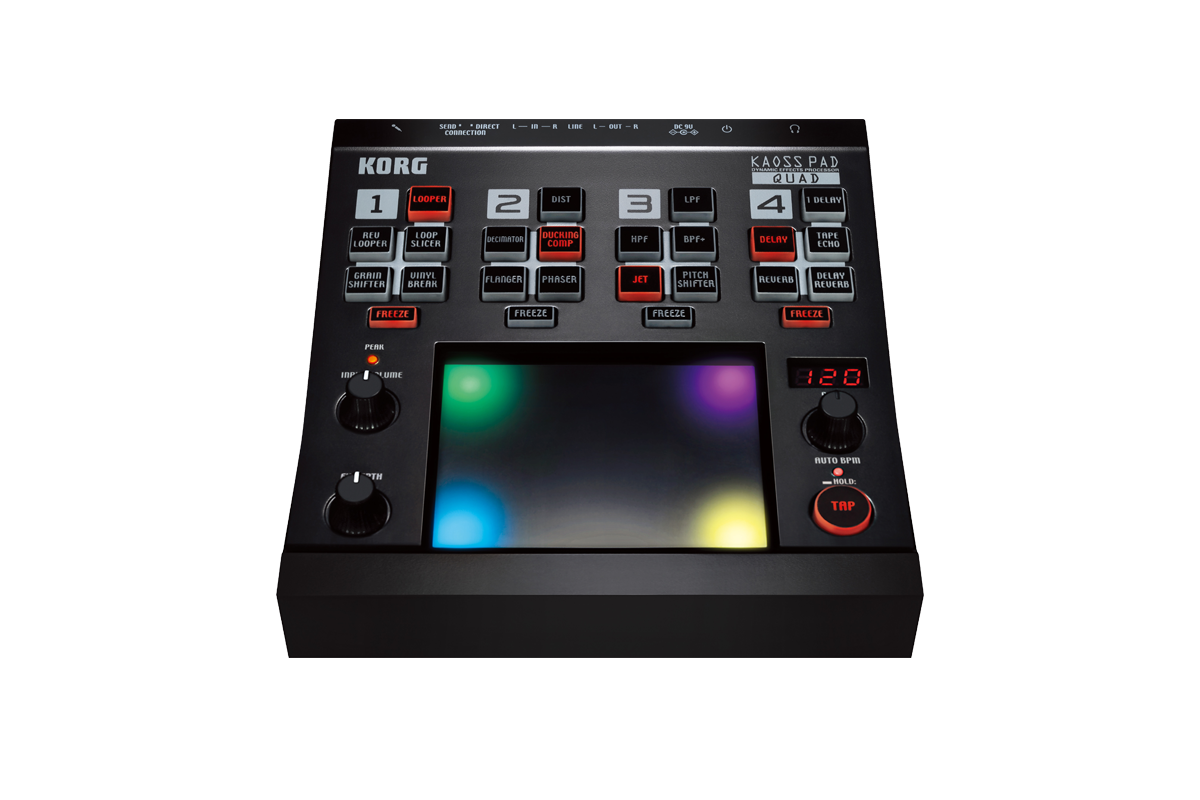
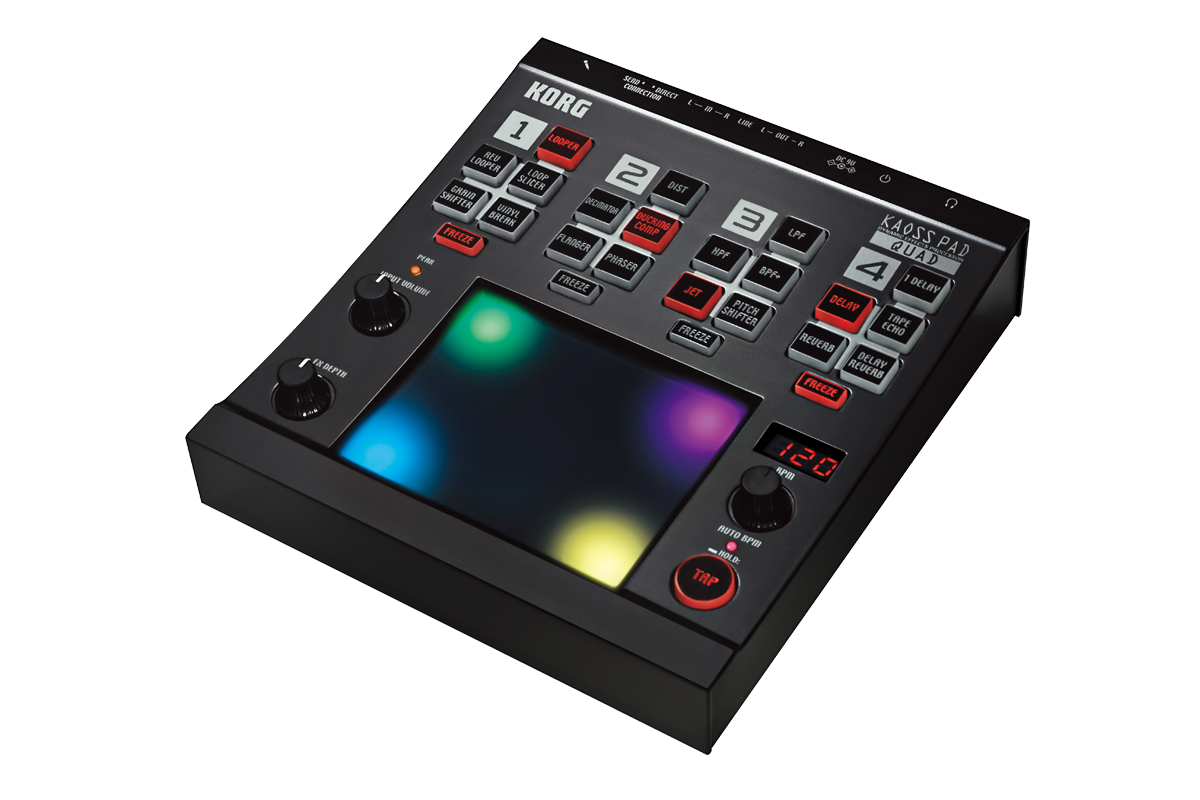
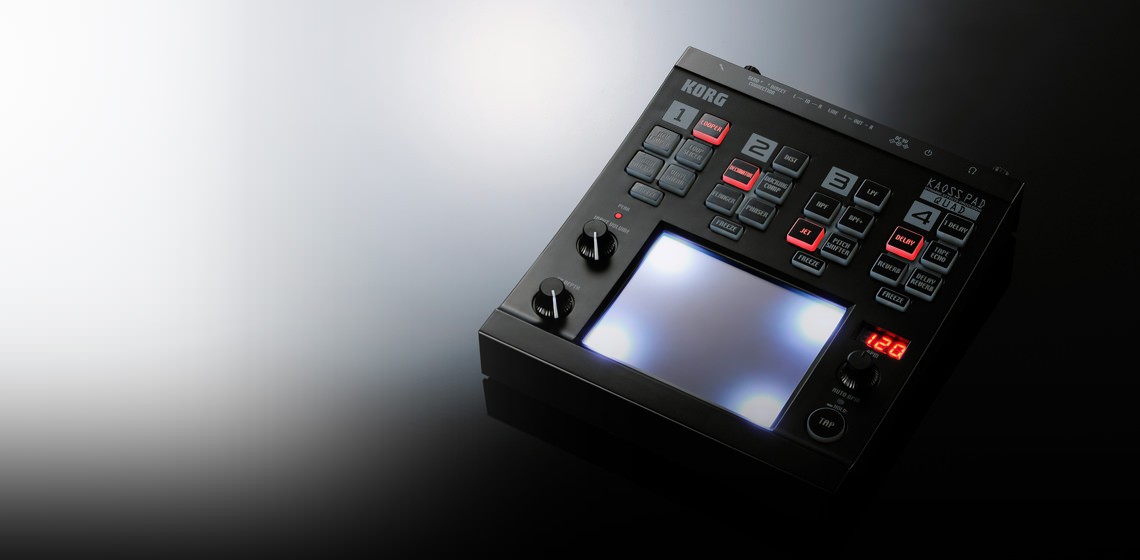
KAOSS PAD QUAD
Dynamic Effects Processor
Create your own combination of Kaoss effects, and simultaneously control up to four effects using a single fingertip! Introducing the Kaoss Pad Quad; it’s Kaoss control evolved to a whole new level.
Kaoss Pad Quad Highlights
- Brilliant, colorful LED touchpad illuminations move in sync with your performance
- Control multiple effects in realtime using the intuitive Kaoss X-Y touchpad
- Create your own Kaoss combinations and use up to four effects at once
- Choose one of five effects from each of four effect groups; a total of 1,295 combinations!
- Freeze button holds the effect settings after you release your finger, for dazzling hands-free use
- Versatile and highly playable effects control, delivering unimaginable expression
- New Looper effects – Forward, Reverse and Slice – add new audio intensity
- Mix it up with new DJ emulation Vinyl Break and Ducking Compressor effects
- Auto BPM engine detection and Tap Tempo functions keep your Kaoss locked to the beat
Twelve years ago, the first-generation Kaoss Pad exploded onto the DJ/music scene with touchpad-based effect control. Since then, the overwhelming acceptance and popularity of the X-Y touchpad is evident in many Korg products – Kaoss Pad effects, the Kaossilator Series, our padKONTROL and nanoPAD controllers, even the exclusive M3 TouchView™ display – that are now standards in the scene. To this we add the Kaoss Pad Quad, with new effects, functions, and features that truly stand out from the crowd.
As suggested by the name "Quad", this new Kaoss Pad lets you use up to four effects simultaneously. These effects can be sync’ed to the beat of your music, to freely transform your song in realtime. Any audio source can be processed; an MP3 player, a mixing board, an instrument, even vocals via the mic input! The expressive performance potential that arises from the Kaoss Pad Quad leaves other effect units in the dust, and rapidly approaches the realm of an "instrument". The brilliant and colorful LED touchpad illumination adds a strong sense of individuality, further enhancing the Kaoss Pad Quad’s unique character.
The Kaoss Pad Quad will enthrall everyone. The intense user can engage in highly technical performances; the casual user can enjoy DJ-like fun. Either way, the audience will be equally captivated. The interest and depth emanating from this new instrument is sure to touch every listener.
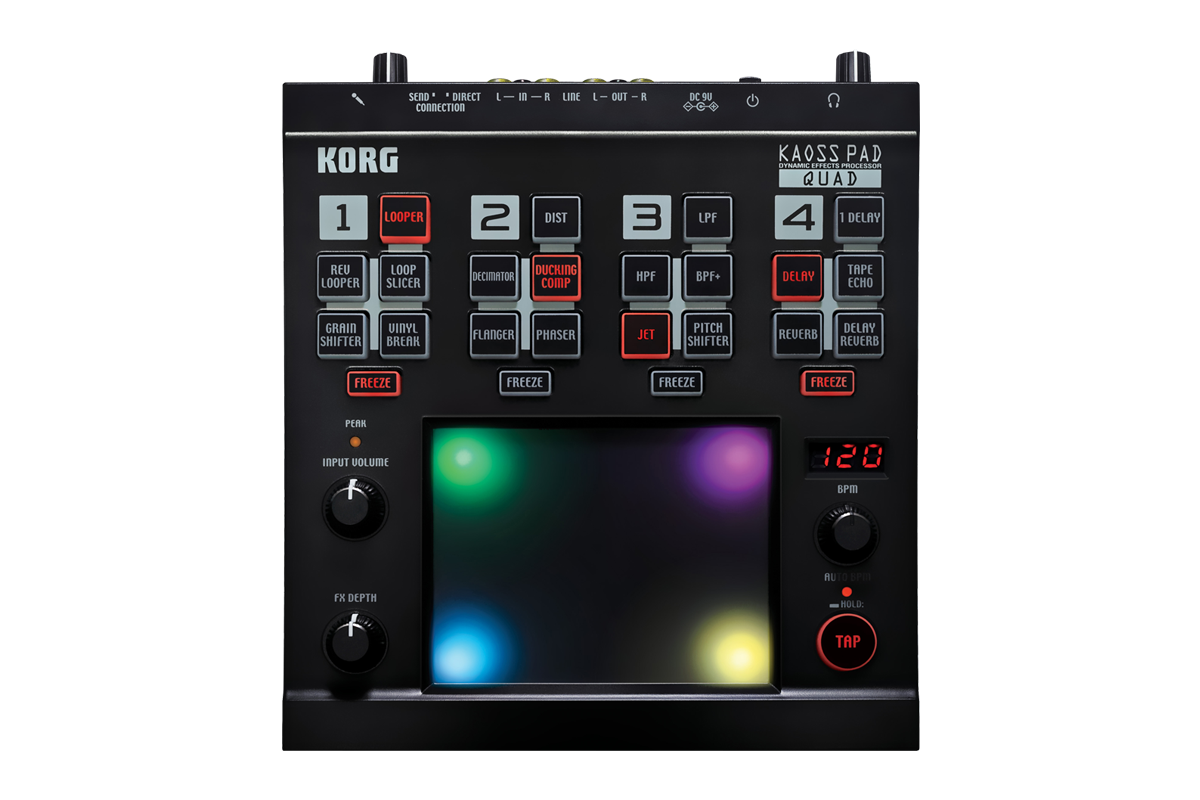
Dazzling, illuminated touchpad control The intuitive interface that has helped to make the Korg Kaoss Series so popular is alive and well on the Kaoss Pad Quad. As you tap, slide, or move your finger across the X-Y touchpad, the effect parameters will change, producing dramatic realtime changes in the sound. One big change to the touchpad is brilliant LEDs that light up in an intense variety of colors. The illumination changes depending on the state of the effects, the BPM setting, and on your movements while performing. The DJ booth or stage will be brilliantly illuminated, visually boosting the excitement level!
Use up to four effects simultaneously for unimaginable expression Kaoss Pad Quad lets you simultaneously control up to four effects from the touchpad. Each of the four effect modules – Looper; Modulation; Filter; and Delay/Reverb – contains five options (plus a null, or off position), for a total of 1,295 combinations! Best of all, effects can be chosen directly from the front panel, a more intuitive and physical process than on previous Kaoss Pad models. Enjoy trying your own Kaoss combinations and discovering ways to radically morph the sound.
By rhythmically adding successive effects, or switching effects on and off as your song progresses, you can use the Kaoss Pad Quad to add variation and development to the structure of your song. In other words, even a simple beat can potentially be transformed into a killer tune that will whip the dance floor into a frenzy. In addition to being an enormous asset to the professional, the Kaoss Pad Quad is also great fun for the casual user. It is extremely straightforward and easy to use; just touch the pad to apply effects. Connect a portable audio player or any audio source, and begin enjoying hours of sound creation and manipulation. Once you get started, you'll lose all track of time!
Freeze button offers hands-free effects! For each of the four effect modules, there's a Freeze button that memorizes the position at which you're touching the touchpad, causing that effect to be held even after you release your finger. If you touch the touchpad again while Freeze is enabled, only the non-frozen effects will be controlled. You can achieve even higher levels of performance freedom by using the four Freeze buttons in conjunction with the effect type buttons.
Expand your performance with newly designed effects In addition to more traditional effects, the Kaoss Pad Quad offers many new types of effects:
Multi-Mode Looper Use the touchpad to loop part of your song; the number of beats is controlled by the location you touched. Three types of looping are provided; the standard Looper; the Rev Looper (Reverse Looper) which plays the looped phrase backward; and the Loop Slicer, which divides the phrase and lets you loop-play only a specific portion. You can switch between the different looper types by sliding your finger up and down the touchpad as the loop plays, producing radical new beats on a whim. Using these sophisticated loop tools makes it easy to ignite a frenzy on the dance floor.
Vinyl Break turntable effects The first effect lets you slide your finger up and down on the touchpad to simulate the scratch sounds that can be produced on a turntable. Next, if you leave your finger on the touchpad without moving it, you can also create the effect of gradually slowing the playback speed to a stop, just as when you stop the rotation of a turntable. This realistic sound is highly usable as part of a DJ performance, allowing even a beginner to feel like an experienced DJ.
Ducking Comp transforms the playback This creates the distinctive “ducking compressor” effects that have become a staple in music production. By boosting the sound level during off-beats of the kick drum, this effect can expressively transform your sound in very musical ways.
Stay in Sync! The proprietary Auto BPM engine automatically detects the tempo/BPM (Beats Per Minute) of the song that's playing or the audio source. Using this function allows BPM effects such as delay to remain in sync with the song. Tap Tempo is also provided; you can press the TAP button several times at the desired tempo to set the appropriate BPM value even for a song that does not have a strong rhythmic feel or whose BPM is difficult to detect. You can also use the BPM knob to make fine adjustments.
SpecificationsKAOSS PAD QUAD Specifications
Effect Modules and Types:
Looper Module: Looper, Rev Looper, Loop Slicer, Grain Shifter, Vinyl Break
Mod Module: Dist, Decimator, Ducking Comp, Flanger, Phaser
Filter Module: LPF, HPF, BPF+, Jet, Pitch Shifter
Delay/Rev Module: 1Delay, Delay, Tape Echo, Reverb, Delay Reverb
Inputs:
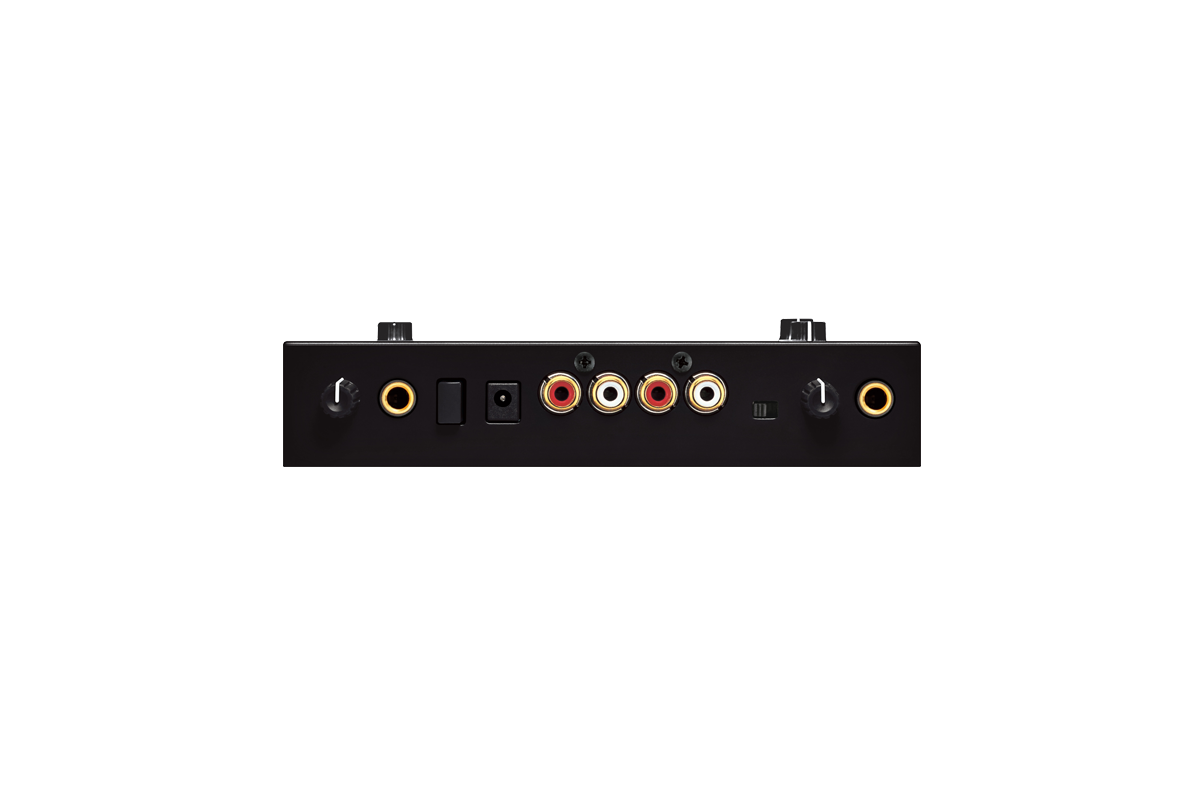
Line inputs (RCA jacks), Mic (1/4” phone jack)
Outputs:
Line outputs (RCA jacks), Headphones (1/4” stereo phone jack)
Sampling Frequency:
AD/DA:
Power Supply:
Included Items:
AC adapter, Protective sheet for touchpad
Dimensions (W x D x H):
Weight:
KAOSS PAD QUAD Options:
*Specifications and appearance are subject to change without notice for improvement.
News
Over a decade ago, Korg changed the DJ/music scene with its first-generation Kaoss Pad, a touchpad-based effect controller. Since then, the popular X-Y touchpad has appeared in many Korg products. Now, Korg is taking effects control one step further with the new Kaoss Pad Quad, which employs new effects, functions and features that let users create their own combination of Kaoss effects with simultaneous control of up to four effects in real-time using a single fingertip on its touchpad. Any audio source can be processed: an MP3 player, a mixing board, an instrument or even vocals via the unit’s mic input.
As users tap, slide or move their finger across the intuitive X-Y touchpad interface, the effect parameters will change, producing dramatic real-time transformations in the sound. The brilliant, colorful LED touchpad illuminates in an intense variety of colors, which change depending on the state of the effects, the BPM setting and hand motions on the touchpad.
Designed to be both usable and highly playable as an effect processor, the Kaoss Pad Quad allows the user to simultaneously control up to four effects from the touchpad. Each of the four effect modules – Looper, Modulation, Filter and Delay/Reverb – contains five options (plus a module kill), for a total of 1,295 combinations. Effects are chosen directly from the front panel for easy access during live performance. By rhythmically adding successive effects, or switching effects on and off as a song progresses, the Kaoss Pad Quad can add variation and development to the structure of any song. Even the simplest beat can be creatively affected to produce something entirely new.
Another unique feature is the Freeze button, which offers even more versatile control of effects. For each of the four effect modules, Freeze memorizes the position at which the user was last touching the touchpad, effectively “freezing” the state that effect was last in, even after release of the finger. By touching the touchpad again while Freeze is enabled, only the “unfrozen” effects will be controlled.
In addition to more traditional effects (flanger, low/high-pass filter, delay and reverb), the Kaoss Pad Quad offers many new types of effects:
Multi-Mode Looper for looping a part of a song; the number of beats is controlled by the location touched. Three types of looping are provided: the standard Looper, the Rev Looper (Reverse Looper which plays the looped phrase backward) and the Loop Slicer, which divides the phrase and lets the loop-play only a specific portion. Additionally, users can switch between the different looper types by sliding their finger up and down the touchpad as the loop plays, producing radical new beats on a whim.
Vinyl Break turntable effects, which allow users to create all the standard turntable rotation effects, including scratching, slow-down/speed up, stop and more.
Ducking Comp, creating effects of a “ducking compressor,” which has become a staple in music production. Additionally, the proprietary Auto BPM engine automatically detects the tempo/BPM of the song that's playing or the audio source. Users can also use the BPM knob to make fine adjustments. Alternatively, the BPM can be set manually using the Tap Tempo function.
|